AI Tools Advisor Logo
Image Cleanup Guide 2025

Best AI Tools for Image Cleanup & Photo Restoration

Top 10 AI tools to remove objects, clean up photos, restore old images, and enhance photo quality. Covers Cleanup.pictures, Let's Enhance, Remove.bg, Adobe Photoshop AI, Canva Magic Eraser, and more — with free options and real pricing for Indian users.

See All 10 Tools
Read FAQ
Quick Answer (30 seconds)
Best overall: Cleanup.picturesThe most accurate object removal tool. Draw over any object and it disappears with zero trace. Completely free for standard resolution.
Runner-up: Let's Enhance — Best AI photo upscaler and old photo restoration tool with batch processing.
Best free option: Cleanup.picturesYou want unlimited standard-resolution cleanup at zero cost. No signup, no watermark, no credit card required.
Choose Cleanup.pictures if
You need to remove people, objects, text, or blemishes from any photo in seconds. Works on product photos, travel shots, and portraits.
Choose Let's Enhance if
You need to upscale low-res images, restore old photos, or improve image quality for printing and professional use.

Top 10 AI Image Cleanup Tools — Full Reviews

Every tool tested for object removal accuracy, photo restoration quality, free-tier limits, and real-world usefulness for Indian users.

Cleanup.pictures
4.8

1. Cleanup.pictures

Object removal, photo cleanup, text erasure

Best for removing objects, people, text, and blemishes from any photo.

Price
Free for standard resolution
Free Tier
Unlimited standard-res cleanup. HD requires subscription.
Pros
  • +Draw over any object and it disappears with zero trace
  • +Completely free for standard resolution — no signup needed
  • +Works on product photos, travel shots, portraits, and documents
  • +Handles complex backgrounds like water, grass, and sky naturally
  • +Fast processing — results in 2-5 seconds
Cons
  • HD resolution requires paid subscription ($5/mo)
  • Large object removal can leave subtle artifacts on complex textures
  • No batch processing — one image at a time
  • Limited to removal — no upscaling or enhancement features
  • Mobile app is less polished than the web version
Verdict

Cleanup.pictures is the gold standard for AI object removal. For cleaning up product photos, removing tourists from travel shots, or erasing text from documents, nothing else comes close at this price. The free tier is genuinely unlimited for most use cases.
Let's Enhance
4.6

2. Let's Enhance

Photo upscaling, old photo restoration, print preparation

Best for upscaling low-res images, restoring old photos, and improving print quality.

Price
$9/mo (~₹750) for 100 credits
Free Tier
10 free credits to start (~2-3 images)
Pros
  • +Upscales images up to 16x without losing quality
  • +AI-powered old photo restoration — colorizes and repairs damage
  • +Batch processing for up to 20 images at once
  • +Preserves skin texture and fine details better than competitors
  • +API available for developers and ecommerce platforms
Cons
  • Free tier is very limited — only 10 credits
  • Restoration quality varies depending on original damage severity
  • Subscription required for regular use
  • Can over-smooth faces on aggressive upscaling settings
  • No object removal — purely enhancement-focused
Verdict

Let's Enhance is the best choice for upscaling and restoration. If you have old family photos, low-res product images, or need print-ready files, this tool delivers. The batch processing saves hours for ecommerce sellers with large catalogs.

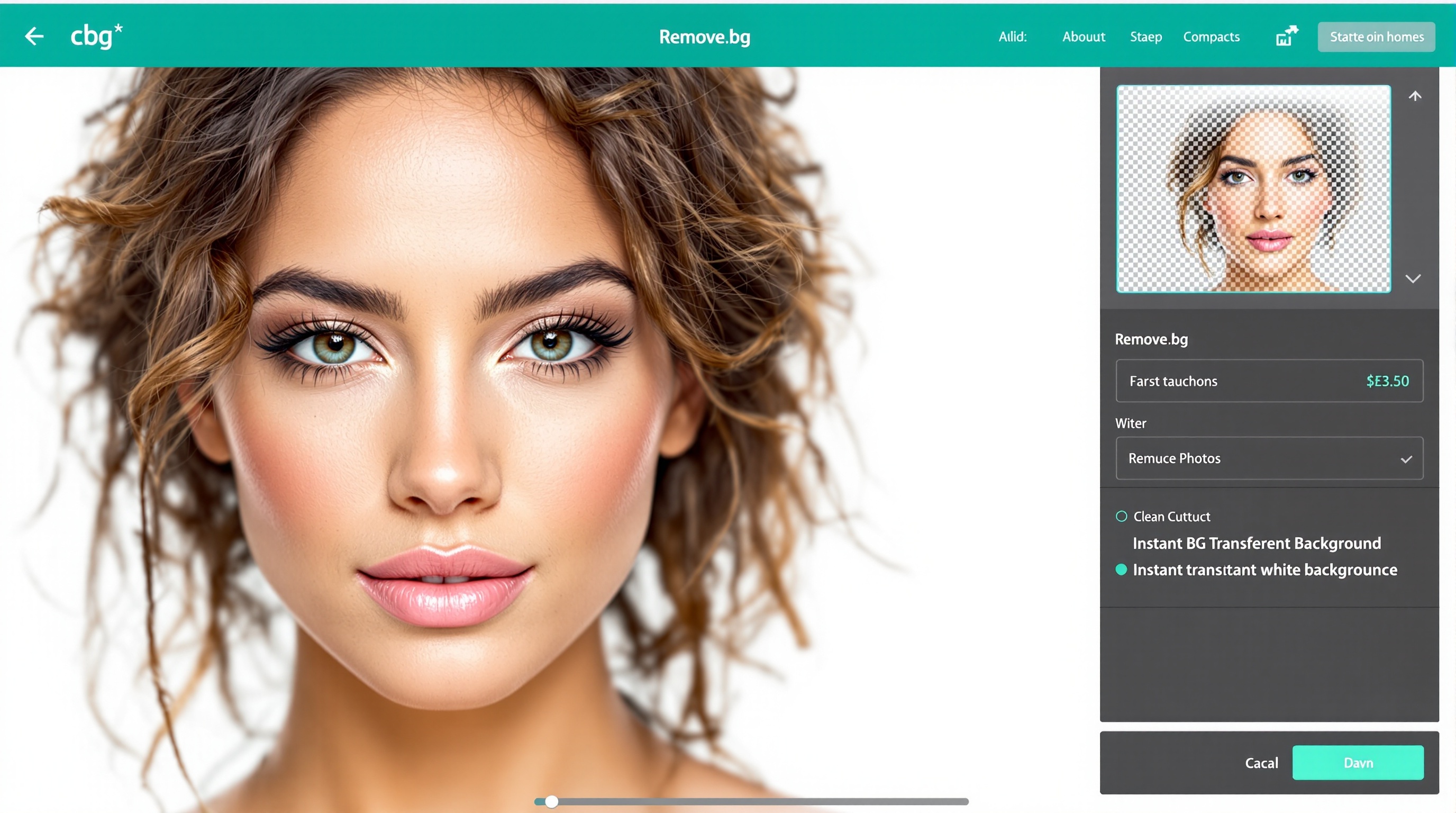
Remove.bg
4.5

3. Remove.bg

Product photos, ecommerce listings, portrait cutouts

Best for instant background removal on product photos and portraits.

Price
₹3,500/yr (~₹292/mo) for 200 credits/mo
Free Tier
1 free HD image + unlimited preview quality
Pros
  • +Industry-best background removal — handles hair and fur perfectly
  • +Instant results — upload and download in seconds
  • +API available for bulk processing and Shopify integration
  • +Magic Brush for fine-tuning edges manually
  • +One free HD download per month for testing
Cons
  • Only removes backgrounds — not a full image cleanup tool
  • Subscription required for regular HD-quality use
  • Complex backgrounds with similar colors can struggle
  • Preview quality is low-res and watermarked
  • No generative fill or object replacement features
Verdict

Remove.bg is a single-purpose tool that does one thing perfectly. Every ecommerce seller, photographer, and marketer should have it. The free tier is enough for occasional use. Buy the subscription only if you process product photos regularly.

Adobe Photoshop (Generative Fill)
4.7

4. Adobe Photoshop (Generative Fill)

Professional retouching, object replacement, composite editing

Best for professional photo editing with AI-powered object removal and replacement.

Price
₹1,675/mo for Creative Cloud Photography plan
Free Tier
7-day free trial only
Pros
  • +Generative Fill removes and replaces objects with context-aware AI
  • +Content-Aware Fill has been refined over 15+ years
  • +Full professional editing suite — layers, masks, curves, color grading
  • +Integration with Lightroom for RAW photo workflows
  • +Industry standard — every professional retoucher uses it
Cons
  • Expensive subscription — not viable for casual users
  • Steep learning curve — requires training to use effectively
  • Generative Fill requires internet connection and Adobe credits
  • Overkill if you just need simple object removal
  • Heavy software — needs a powerful computer
Verdict

Adobe Photoshop is the professional standard. If you already pay for Creative Cloud, Generative Fill is a powerful addition. For casual users who just need to clean up a few photos, Cleanup.pictures is faster and cheaper. Photographers and designers should stick with Photoshop.

Canva Magic Eraser
4.2

5. Canva Magic Eraser

Social media graphics, marketing materials, quick edits

Best for quick object removal inside Canva design workflows.

Price
₹3,999/yr (~₹333/mo) for Pro
Free Tier
Limited uses on free plan
Pros
  • +Built directly into Canva — no switching between tools
  • +Magic Eraser removes objects with one brush stroke
  • +Magic Edit replaces objects with AI-generated alternatives
  • +Instantly apply cleaned images to templates and designs
  • +Great for marketers who need speed over perfection
Cons
  • Object removal quality is below Cleanup.pictures and Photoshop
  • Magic Eraser heavily restricted on free plan
  • Limited fine control over the removal process
  • Not suitable for professional photo retouching
  • Pro plan is expensive if you only need cleanup features
Verdict

Canva Magic Eraser is perfect for marketers and social media managers who already live in Canva. The convenience of removing an object and immediately placing the image in a design is unmatched. Do not expect professional retouching quality — this is about speed and workflow integration.

Fotor
4.1

6. Fotor

All-in-one photo editing, collage creation, batch enhancement

Best all-in-one photo editor with AI cleanup, enhancement, and design tools.

Price
₹2,399/yr (~₹200/mo) for Pro
Free Tier
Basic editing free — AI features limited
Pros
  • +AI Object Remover handles basic cleanup well
  • +One-click photo enhancer improves brightness, contrast, and sharpness
  • +Batch processing for multiple images at once
  • +Built-in design templates and collage maker
  • +More affordable than Photoshop for casual users
Cons
  • AI removal quality is not as refined as Cleanup.pictures
  • Free plan watermarks AI-enhanced images
  • Interface can feel cluttered with ads on free tier
  • Advanced retouching tools are limited compared to Photoshop
  • AI features require Pro subscription
Verdict

Fotor is a solid middle-ground option. If you need a photo editor, cleanup tool, and design platform in one affordable package, it delivers. The AI removal is good enough for social media and casual use. Professionals should still choose Photoshop or Cleanup.pictures.

PhotoRoom
4.3

7. PhotoRoom

Ecommerce product photos, Instagram sellers, mobile creators

Best for ecommerce product photos and mobile-first background editing.

Price
₹2,999/yr (~₹250/mo) for Pro
Free Tier
Basic background removal free — AI features limited
Pros
  • +Instant background removal and replacement for products
  • +Magic Retouch removes objects and blemishes with one tap
  • +Excellent mobile app — best for on-the-go editing
  • +Batch mode for processing multiple product photos
  • +Direct export to marketplace formats (Amazon, Etsy, Shopify)
Cons
  • AI features require Pro subscription for full resolution
  • Less powerful than Photoshop for complex edits
  • Desktop version is less polished than mobile
  • Limited to product-style photography — not for landscapes
  • Free tier exports are watermarked
Verdict

PhotoRoom is the ecommerce seller's best friend. If you sell on Instagram, Amazon, or Etsy and need clean product photos fast, the mobile app is unbeatable. The batch mode processes entire catalogs in minutes. Not ideal for general photography or artistic work.

Clipdrop (by Stability AI)
4.4

8. Clipdrop (by Stability AI)

Object removal, relighting, image expansion, background replacement

Best for AI-powered cleanup, relighting, and image expansion.

Price
₹1,200/mo for Pro
Free Tier
Limited free generations with watermark
Pros
  • +Stable Diffusion-powered cleanup is highly accurate
  • +Relight tool changes lighting direction after the photo is taken
  • +Uncrop expands images beyond their original borders with AI
  • +Replace background with AI-generated scenes
  • +API available for developers and apps
Cons
  • Free tier is very limited and watermarked
  • Relight tool can produce unnatural shadows on complex scenes
  • Uncrop quality depends heavily on original image content
  • Requires subscription for commercial use
  • Interface is less intuitive than Cleanup.pictures
Verdict

Clipdrop is the most versatile AI cleanup toolkit. The Relight and Uncrop features are genuinely unique. If you need more than just object removal — like changing lighting or expanding image borders — this is the tool. The free tier is too limited for real work, so budget for the subscription.

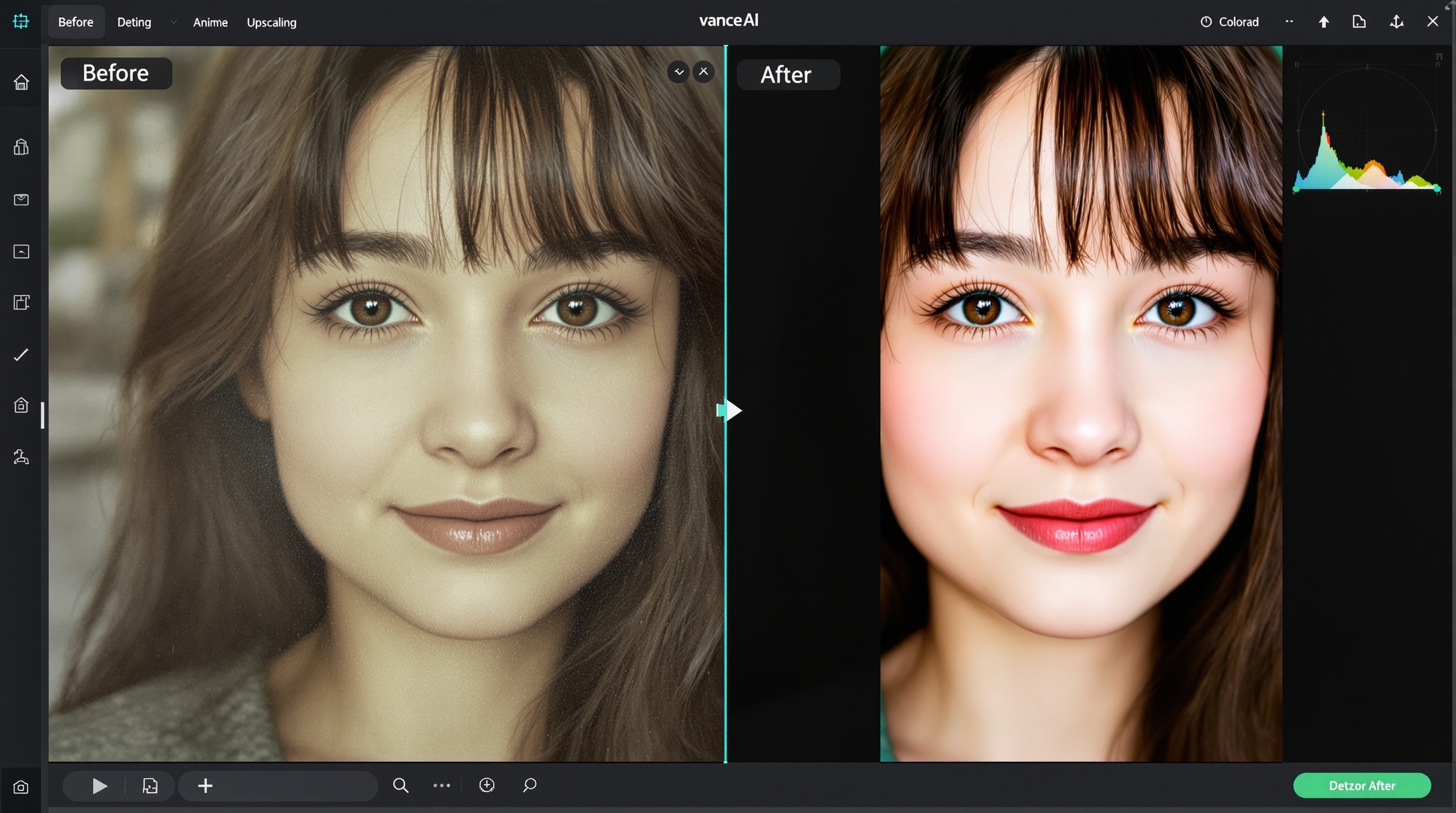
VanceAI
4

9. VanceAI

Batch enhancement, old photo restoration, anime upscaling

Best for batch photo enhancement, old photo restoration, and anime upscaling.

Price
$9.90/mo (~₹825) for 100 credits
Free Tier
3 free credits to test
Pros
  • +Specialized anime upscaler produces sharp, artifact-free results
  • +Old photo restoration colorizes and repairs damage automatically
  • +Batch processing for up to 50 images simultaneously
  • +Toonify feature turns portraits into cartoon versions
  • +Cloud-based — works on any device without installation
Cons
  • Free tier is extremely limited — only 3 credits
  • General photo upscaling is below Let's Enhance quality
  • Interface feels dated compared to modern competitors
  • Restoration can over-saturate colors on old photos
  • No object removal features — enhancement only
Verdict

VanceAI is the niche specialist for anime and old photo restoration. If you have a collection of old family photos or create anime content, the specialized tools are worth the price. For general photo cleanup, Cleanup.pictures and Let's Enhance are better choices.

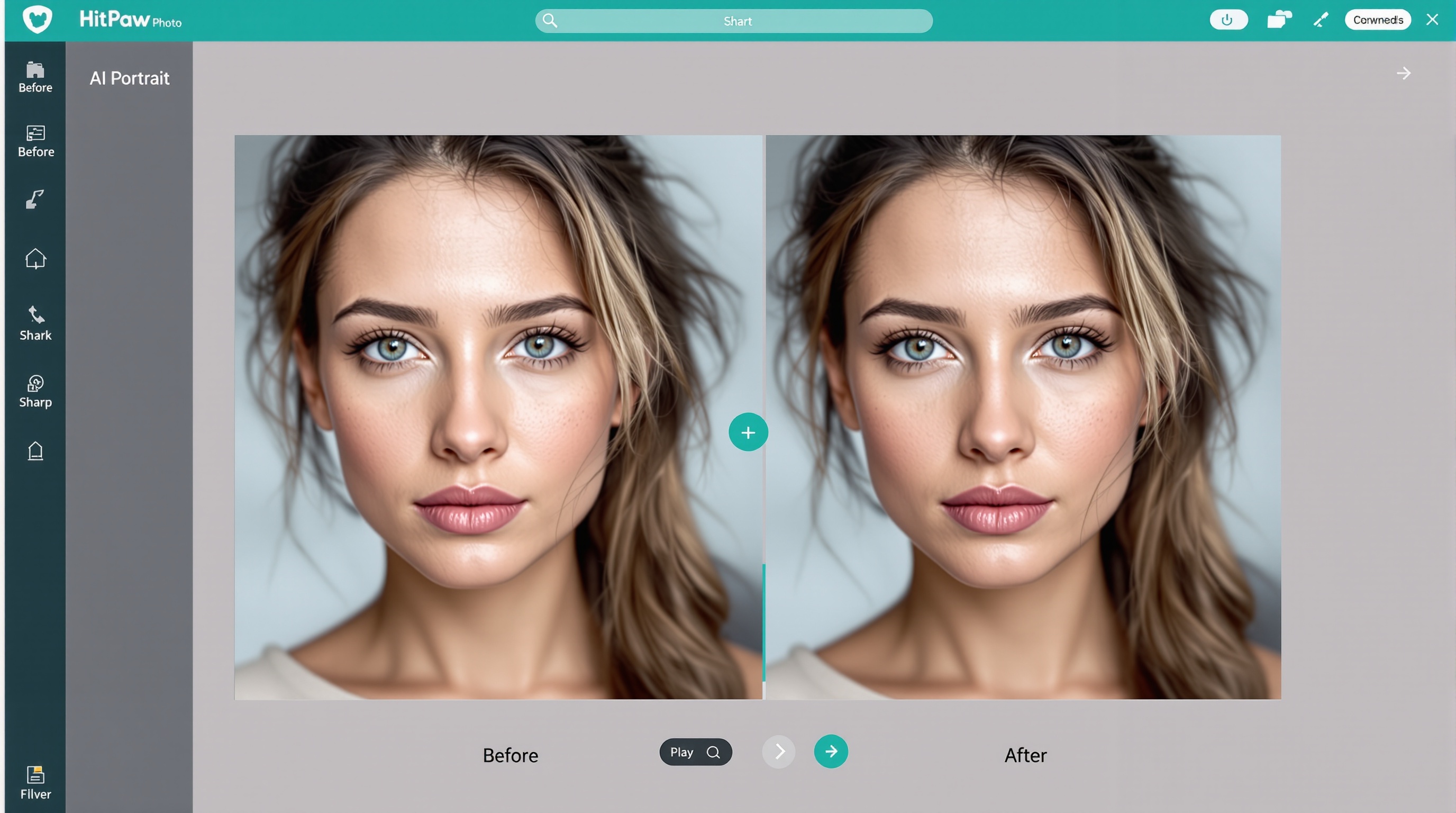
HitPaw Photo Enhancer
4.2

10. HitPaw Photo Enhancer

Portrait enhancement, face restoration, noise reduction, deblurring

Best for face enhancement, portrait retouching, and noise reduction.

Price
$29.99/yr (~₹2,500) or $89.99 lifetime
Free Tier
Trial with watermark
Pros
  • +AI face model specifically trained for portrait enhancement
  • +Removes blur and noise from low-light photos
  • +One-click batch processing for multiple portraits
  • +Lifetime license option — no recurring subscription
  • +Desktop app works offline — no internet required
Cons
  • Only available as desktop software — no web version
  • Trial exports are heavily watermarked
  • Limited to enhancement — no object removal or background editing
  • Interface is functional but not modern
  • Mac version occasionally lags on large files
Verdict

HitPaw is the portrait photographer's choice. The face-specific AI model genuinely improves skin texture, eyes, and hair detail. The lifetime license is excellent value if you process portraits regularly. Not suitable for general object removal or landscape photography.

Side-by-Side Comparison

All 10 image cleanup tools compared across every feature that matters for photo editing, restoration, and enhancement.

ToolObject RemovalPhoto RestorationUpscalingBackground RemovalBatch ProcessingFree TierPriceMobile
Cleanup.picturesExcellentNoUnlimited stdFree / $5Fair
Let's EnhanceExcellentExcellentYes10 credits$9/moWeb only
Remove.bgExcellentAPI1 HD/mo₹292/moGood
Adobe PhotoshopExcellentVery GoodVery GoodVery GoodYes7-day trial₹1,675/moDesktop
Canva Magic EraserGoodFairFairGoodNoLimited₹333/moVery Good
FotorGoodGoodGoodGoodYesBasic₹200/moGood
PhotoRoomExcellentYesBasic₹250/moExcellent
ClipdropVery GoodGoodVery GoodNoLimited₹1,200/moGood
VanceAIVery GoodGoodYes3 credits$9.90/moWeb only
HitPawGoodVery GoodYesTrial$89.99 lifetimeDesktop

Frequently Asked Questions

12 common questions about AI photo cleanup and restoration, answered with real tool recommendations and pricing.

Final Verdict: Start Free, Upgrade Only When You Need More

AI photo cleanup has reached the point where free tools handle most everyday needs. Cleanup.pictures alone can remove objects, erase text, and clean up photos at zero cost. Let's Enhance restores old memories and upscales images for modern displays. Remove.bg makes product photography accessible to every seller.

For casual users and social media creators, the free stack of Cleanup.pictures + Let's Enhance + Remove.bg covers 95% of photo cleanup needs at ₹0. For ecommerce sellers and marketers, PhotoRoom + Remove.bg + Canva Magic Eraser creates a fast mobile workflow that processes product photos in minutes. For professional photographers and designers, Adobe Photoshop with Generative Fill remains the gold standard — but even professionals now use Cleanup.pictures for quick object removal before finishing in Photoshop.

The biggest mistake is assuming you need expensive software for simple cleanup. Try the free tools first. Measure your actual volume. Upgrade only when the free limits genuinely block your workflow. Most Indian users will never need to pay for photo cleanup if their needs are occasional.